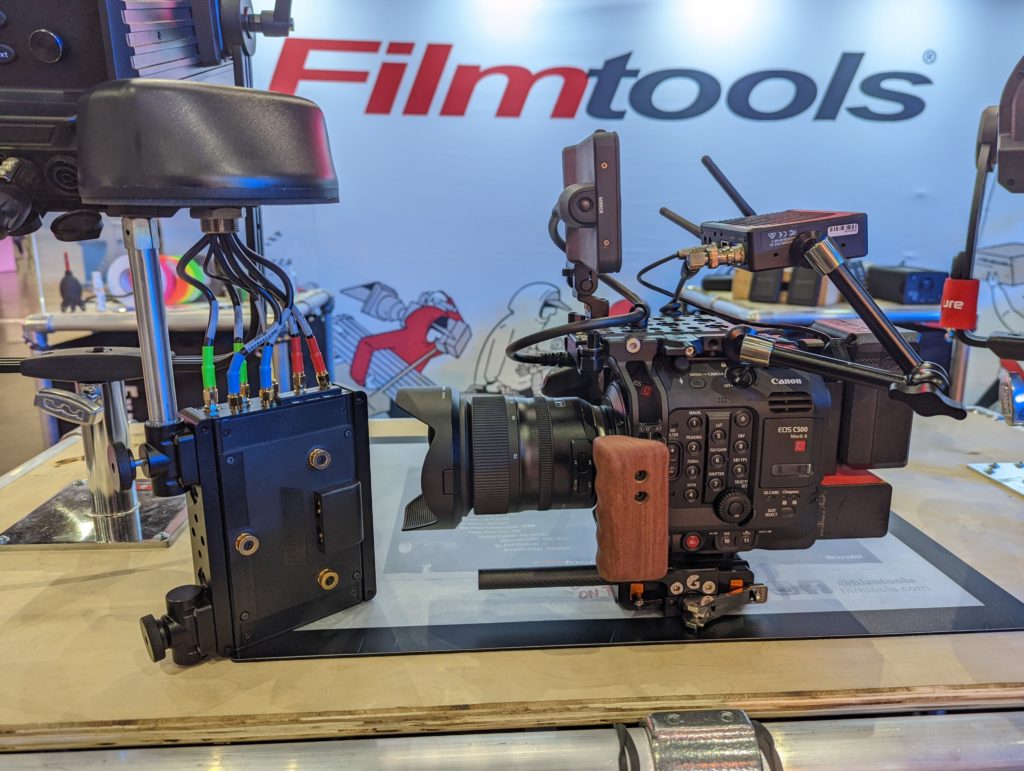
Over the past year, I’ve had the opportunity to test out Frame IO’s Camera 2 Cloud system in various situations. We primarily used it for our live event coverage, including Cinegear, NAB, and Adobe MAX.
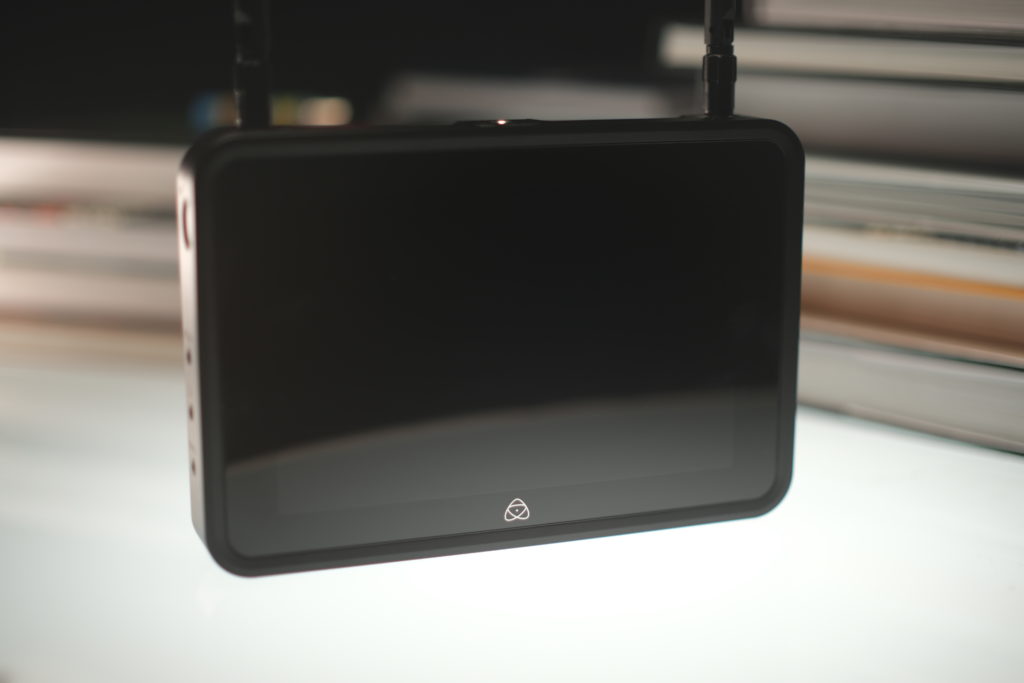
During these events, we relied on the Teradek Cube 655 to transmit footage to our editor as it was shot. While it worked, setting up the Cube each time was a bit finicky since it wasn’t originally designed for C2C. However, the benefits of the system far outweighed this minor inconvenience. Fortunately, purpose-built hardware like the Atomos Shogun Connect is now available, and I had the chance to test it out.
If you’re not familiar, Camera 2 Cloud is a system that allows you to film something and instantly send proxies of the footage to your editor using a piece of hardware you likely already have on set. This means your editor can start working on the rough cut while you’re still shooting. It’s a game-changer in terms of efficiency and time-saving.
One of the things I love about this system is that it allows for real-time collaboration and feedback. With another set of eyes analyzing each clip as it comes in, production can be alerted to any issues or mistakes immediately. This also enables remote team members to offer notes and feedback without being physically present on set.
For our event coverage, we wanted to be as quick as possible in delivering content. Instead of using the original camera negative, we went straight to the web with the proxies, and it worked perfectly fine. By setting my camera to Rec709 and ensuring the audio was properly monitored, we were able to provide the editor with everything they needed for processing. Plus, we had redundant backups of the footage on CFexpress cards and SD cards.
When it comes to the proxy encoding, we found that a bitrate of 10Mbps struck the perfect balance between quality and speed. Even lower bitrates like 8 or 5Mbps were acceptable for our needs. The videos we produced using these proxies didn’t show any noticeable degradation in quality. It’s a great trade-off for our specific use case.
However, if you prefer to work with the original camera negatives, you’re in luck. Cameras like the RED V-Raptor and Fujifilm XH2 can send .R3D files in up to 8K resolution and ProRes Proxies natively. This means you can send the footage straight from the camera to your editor without any additional hardware. It’s a convenient option for those who prioritize working with the highest quality files.
Backup to your cards and drives on set on top of everything else. DPs have never slept so soundly. Get ready to put it to the test this year at NAB!
But for now, let’s talk about my experience with the new Atomos Shogun Connect on my Canon C500mkII. It took a while, but we finally made it.
The Shogun Connect is similar to the Shogun 7, but with a smaller 0.2″ IPS touchscreen that’s brighter and more vibrant than the original. It also has network capabilities, making it even more versatile. Plus, it can be calibrated using the Atomos Calibrator, ensuring accurate colors.
The device itself looks premium and starts up quickly. The touchscreen is responsive and easy to navigate, and the menu layout is intuitive. It’s basically ready to go as soon as you power it on. Just make sure your input settings are correct and choose the right file type for your needs. With options like ProRes, ProRes RAW, DNxHR, DNxHD, and H.265, you’ll have everything you need for professional work.
In terms of physical inputs, you have an HDMI and a 12G SDI port, both capable of high-quality recording. The device can also do conversion between the two, making it a handy switcher. It records metadata from Arri and RED cameras, as well as important settings like white balance, exposure index, and more when shooting in RAW. And don’t forget the cool feature of tagging clips in the playback menu.
The monitor/recorder itself is packed with useful features like Fase Color, Zebras, Waveform, and Vectorscope. It’s a fantastic tool for any filmmaker. But let’s shift our focus to Camera to Cloud.
Setting up C2C was a breeze. Just connect to a network, scan a QR code, and link your device to your Frame.IO account via Atomos Cloud. It only took me a few minutes, and it worked seamlessly. From there, I selected my project and started running some clips.
Overall, the Atomos Shogun Connect is a powerful monitor/recorder with all the bells and whistles you need. And with Camera to Cloud, it’s even more convenient and efficient. Don’t just take my word for it, check out the rest of the monitor’s features at the end of the article.
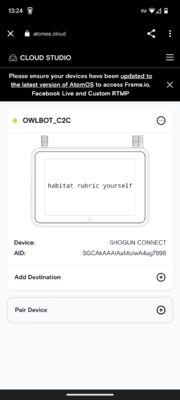
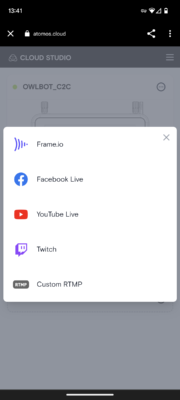
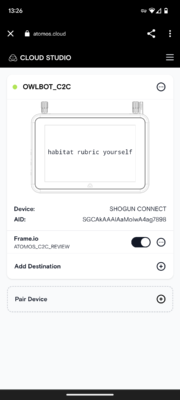
Testing the transfer times for Frame.IO’s Camera to Cloud feature was an interesting experience. I ran a short clip of 19 seconds and a longer clip of 3 minutes and 36 seconds. Surprisingly, it took slightly longer than the actual runtime of the clips to transfer them. For example, the 19-second clip appeared in my Frame.IO account 11 seconds after I stopped recording, and I was able to watch it after a total of 28 seconds. The 3-minute and 36-second clip took 3 minutes to queue and was watchable 44 seconds later. These transfer times remained consistent even with longer clips of 10-20 minutes. Of course, the speed of your internet connection will affect the transfer times. In my case, with a maximum upload speed of 20MBps at home and a faster wireless connection in the field, the process was smooth.
One advantage of Camera to Cloud is that the clips don’t automatically download to your PC. Instead, they remain in the cloud as previews until you choose to download them. This prevents your drives from filling up unexpectedly. With my excellent download speed, it only took around 1 second to download the files in the desired format (Original, Proxy Highest, or Proxy Lowest). The downloads happened in parallel and were automatically added to my Project folder.
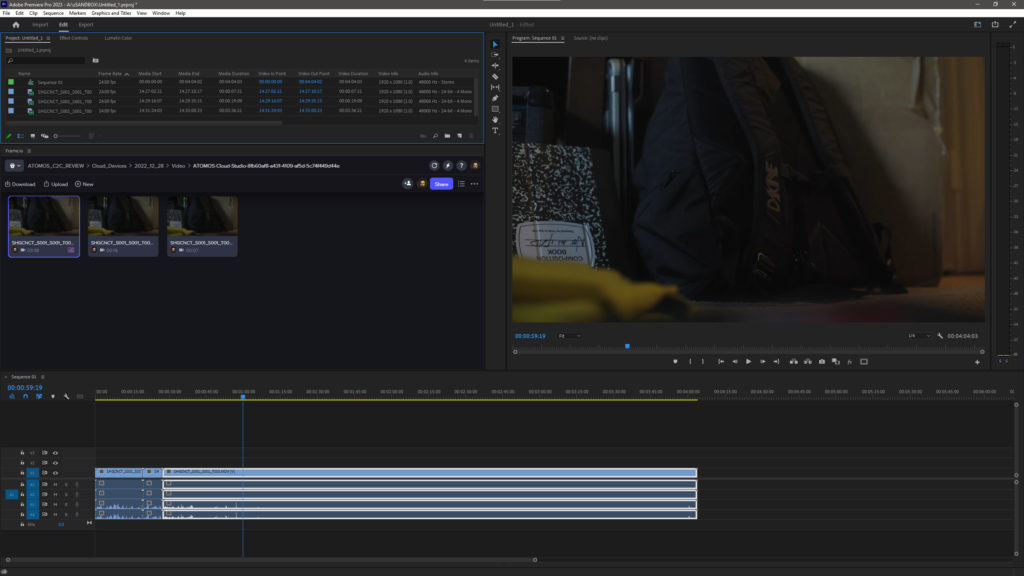
Once the clips are in your Frame.IO panel, you can edit them as usual. The panel allows for comments and annotations, providing a seamless editing experience. I was impressed by the audio capabilities of Camera to Cloud. I received all 4 channels of audio from the C500 in the proxy files. If you’re using separate audio sources, you can easily connect them to the monitor or camera, or use external devices like Sound Devices 888 or Scorpio. The audio files can be transmitted to the C2C project and will already be synced up with the video, making the editing process even more efficient.
Camera to Cloud is not limited to specific hardware or software. It offers compatibility with a wide range of devices, including popular tools like the Shogun, Teradek, Filmic Pro, Livegrade, ShotPut Pro, Silverstack, Zoelog, and even Hedge. The integration options are expanding, which is great news for users looking to streamline their workflows.
While I haven’t had the opportunity to use Camera to Cloud on a narrative or commercial shoot yet, I can see its potential. The ability to use proxies as the “original” footage for event coverage or news gathering is a game-changer. Even in situations where the connection is lost, the hardware continues recording to the monitor’s drive or SD card, ensuring that no footage is lost. Additionally, Frame.IO provides nine backups in the cloud before delivering the final clip, guaranteeing the safety of your footage.
As someone who edits most of the content I shoot, Camera to Cloud offers peace of mind. Having the files backed up at home before I even arrive is a valuable feature. I recently experienced a situation where both of my CFexpress cards corrupted, causing panic. If I had Camera to Cloud, I would have had the footage safely stored and organized. It’s a tool that can save time and prevent potential disasters. Plus, I discovered that Chromebooks or Linux devices have a knack for reading bad cards, allowing me to retrieve my footage in a pinch.
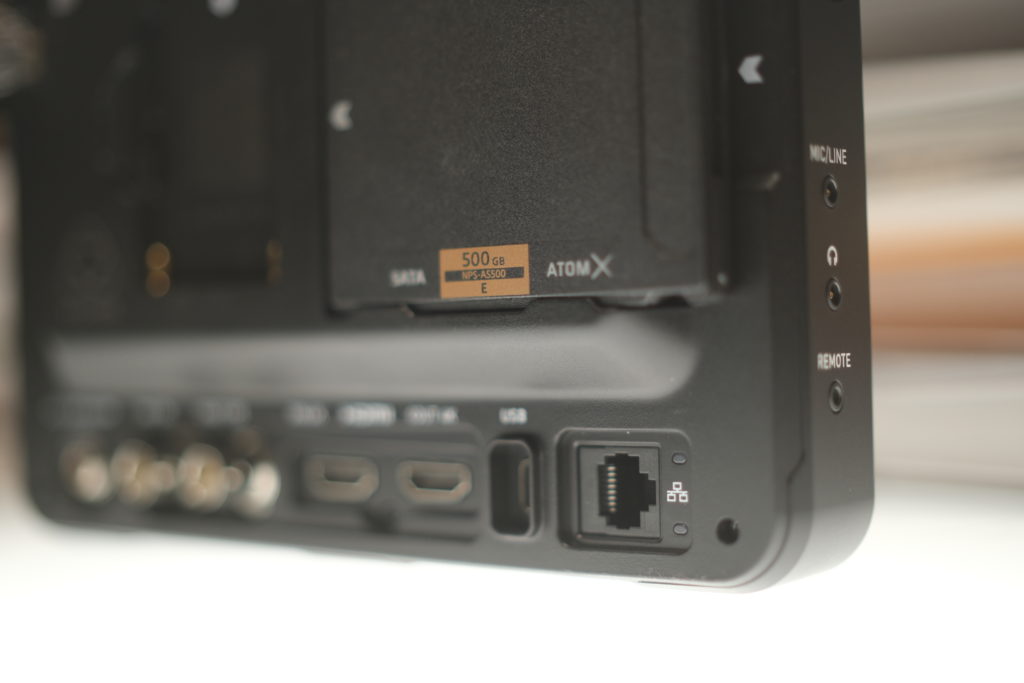
I can’t contain my excitement about this service! There’s just nothing to dislike about it. The connections are seamless, the hardware is impressive, and there are constant advancements and integrations. Of course, connection speeds can vary depending on your service provider, but that’s something you can plan for. This technology should be a staple on every set that has the capability to use it. Even if your editor isn’t physically present, they can still work remotely without any hassle. All the footage can be consolidated and sent as one package when the time comes. And even if you don’t have a live connection on set at all, you can simply plug the Shogun into an ethernet cable and it will start transferring the footage automatically. It’s a convenient and efficient solution.
If you have the main Adobe Creative Cloud “All Apps” subscription or individual subscriptions for Premiere Pro/After Effects, you already have a Frame.IO account that includes two users, five projects, and 100GB of active storage, along with Camera to Cloud functionality. Students and teachers with an Individual All Apps plan also have access to Frame.io for Creative Cloud. For everyone else, signing up for a Frame.IO account and opting for the “Pro” tier is necessary to access Camera to Cloud. The Free tier offers standard review tools for up to 2 projects, but you’ll need Pro, Team, or Enterprise for C2C functionality.
Full Tech Specs
Physical Specifications
- Dimensions (W x H x D mm): 198mm / 7.8″ x 133mm / 5.2″ x 40mm / 1.57″
- Weight: 730g / 1.6 lbs
Mounting points
- Top: 1 x 1/4″20 or 3/8″ with anti-rotational points
- Bottom: 1 x 1/4″20 or 3/8″ with anti-rotational points
- Right: 1 x 1/4″20 or 3/8″ with anti-rotational points
Power
- Input voltage: 6.2 – 16.8v
- 1 x NP-F / L-Series Slot
- Locking DC Jack (5.5mm OD & 2.1mm ID)
- Dtap via optional D-Tap to DC cable
Display
- 7” Full HD 10-Bit (8+2 FRC) SuperAtom IPS panel (capacitive touch)
- 325 PPI
- Rec709, 2000nit +/- 10%, Edge-lit
- Calibratable with ColorChecker Display Pro or Plus
Color Features
- Nearly every standard Log format and Gamut
- LUT Support (33pt CUBE)
- Native / 709 / HLG / PQ / 3D LUT Monitoring Modes
Video Input
- 1 x HDMI 2.0
- 1 x 12G SDI
- 8/10 bit depth, 4:2:0 and 4:2:2
Video Output
- 1 x HDMI 2.0
Experience high-quality video conversion with our 12G SDI and HDMI > SDI Conversion devices. Easily convert your signals and enjoy seamless connectivity.
Metadata
Capture important metadata with our HDMI RAW converter. Adjust white balance, exposure index, shutter speed/angle, iris F stop, ISO, gamma, and gamut settings.
SDI
Get the file name from Arri or RED cameras and capture RAW data. Adjust white balance, exposure index, shutter speed/angle, iris F stop, ISO, gamma, and gamut settings.
Network
Stay connected with our versatile network options. Connect via 1GbE RJ45 Ethernet, Wi-Fi 6, or our Wireless RF (AirGlu™ SYNC Time code Network). Capture to the Atomos Cloud and even live stream your content. Easily connect to a hotspot via Wi-Fi.
Audio In/Out
Enjoy high-quality audio with our 24-Bit / 48kHz PCM support. HDMI input supports 8 channels of 24-bit audio, while SDI input supports 12 channels of 24-bit audio. Use the 3.5mm jack for audio input and output, and connect your headphones for monitoring.
Resolution and Frame Rates (Record, Monitor & Playback)
Record, monitor, and playback videos in various resolutions and frame rates. Our devices support 4k DCI up to 4Kp60, 4k UHD up to 4Kp60, 2K DCI up to 2Kp60, FHD up to 1080p120, 8K RAW up to 8Kp30 via HDMI, 6K RAW up to 6Kp60 via HDMI & 6Kp30 SDI, 4K RAW up to 4Kp120 via HDMI / SDI, and 3.5K Anamorphic RAW up to 3.5Kp60 via HDMI.
The 2K RAW up to 2Kp240 via SDI feature is now available!
Recording CODEC
Experience the power of Apple ProRes RAW up to 12bit 8Kp30 / 4Kp120
Enjoy the versatility of Apple ProRes HQ / 422 / LT up to 4Kp60
Capture your footage with Avid DNxHD up to 1080p60
Achieve stunning results with Avid DNxHR up to 4Kp60
Get the optional activation for up to 4Kp60 H.265 C2C Proxy Recording (MOV container)
Seamlessly connect to Adobe Frame.io for Camera to Cloud Support
[Simultaneous proxy record ProRes RAW* / ProRes / DNx with H.265 proxy available in Future FW release]
Supported media
Compatible with SSDmini, CFast II via AtomX CFast Adapter, and Master Caddy III
On screen tools
Enhance your workflow with waveform, RGB parade, vector scope, 1x 2x zoom, focus peaking, false color with IRE scale, zebra, isolate color channel (Blue only), safe areas, cine & social frame guides, anamorphic desqueeze, and frame grab and onion skin overlay

Other Articles
Is Owning a Professional Cinema Camera Necessary?
MIT Develops Glasses-Free 3D Movie Screen