Get ready to be amazed! Runway, the AI video leader, has just introduced its latest feature in the Gen-2 suite of tools: Image to Video. This groundbreaking feature allows you to transform a still image into a moving masterpiece without any extra effort. Forget about the creepy and crude results from previous text-to-image generation tools – Runway’s new toolset might just be the answer to producing synthesized images that are actually usable in post-production.
Curious to try it out for yourself? In this article, I’ll walk you through the process of using this feature in under 5 minutes, and the best part is, it’s completely free! Stick around till the end, where I’ll share some of the incredible examples that have emerged since the introduction of Image to Video.
The state of synthesized video in mid-2023
Do you remember AI in November 2022? Neither do I. It’s hard to believe that not too long ago, we didn’t have ChatGPT generating professional-sounding text or Midjourney v4 fooling us with its professional-grade art and design. But now, AI in the 2020s is giving creative professionals a run for their money. It’s essential for us to understand these tools, especially as Hollywood battles against the rights of those who make its existence possible.
Of course, early attempts at text-to-video synthesis were often deeply creepy or laughably bad. But Runway’s recent breakthrough in its Gen2 product might just change the game.
Introducing Runway Gen-2
Runway is at the forefront of the synthetic video and effects revolution. Their current version, Gen-2, is aptly named “AI Magic Tools” and aims to create something out of nothing. Initially focusing on text-to-video images, Gen-2 allows you to turn text into a movie without any intermediate steps. It’s pure magic.
However, if you browse through the examples on the Runway website or their competitor Pika Labs, you might find that most of them aren’t suitable for professional editing. The style tends to be illustrative, and the results lack consistency and detail. Method Studios used this “jittery and ominous… shape-shifting” quality to create the opening credit sequence of Secret Invasion, giving it a foreboding and otherworldly look. While Method Studios claims that no artists’ jobs were replaced by these new tools, they haven’t revealed how the sequence was actually realized.
So, perhaps Secret Invasion will be the only Hollywood feature to embrace the 2023-era text-to-video style. Only time will tell. Meanwhile, Runway has been tirelessly working to solve the creep factor, and their latest breakthrough might just be the answer.
Have you ever wished that a still photo could come to life? Well, now it can. Runway’s Image to Video feature allows you to transform any still image into a captivating video using pure AI. Here’s how you can try it yourself in just 5 minutes or less.
Try image-to-video yourself in 5 minutes or less
Although Runway is a paid web app, they offer a free trial that allows you to experience the magic firsthand. The trial provides you with enough credits to try several short video clips, with a watermark logo appearing in the lower right corner (which is removed with a paid plan).
To get started, all you need is an image. Any still image will do, but one that already implies some basic motion is a great choice. Runway provides two simple nature scenes as examples – one with a neutral color range and more detail, and the other with a stylized look.

Visit runwayml.com and navigate to the Image to Video or Gen-2 section. If you’re new, you’ll be prompted to sign up before accessing the Dashboard. Once you’re there, click on Image to Video, and you’ll be greeted with a user-friendly interface like this:
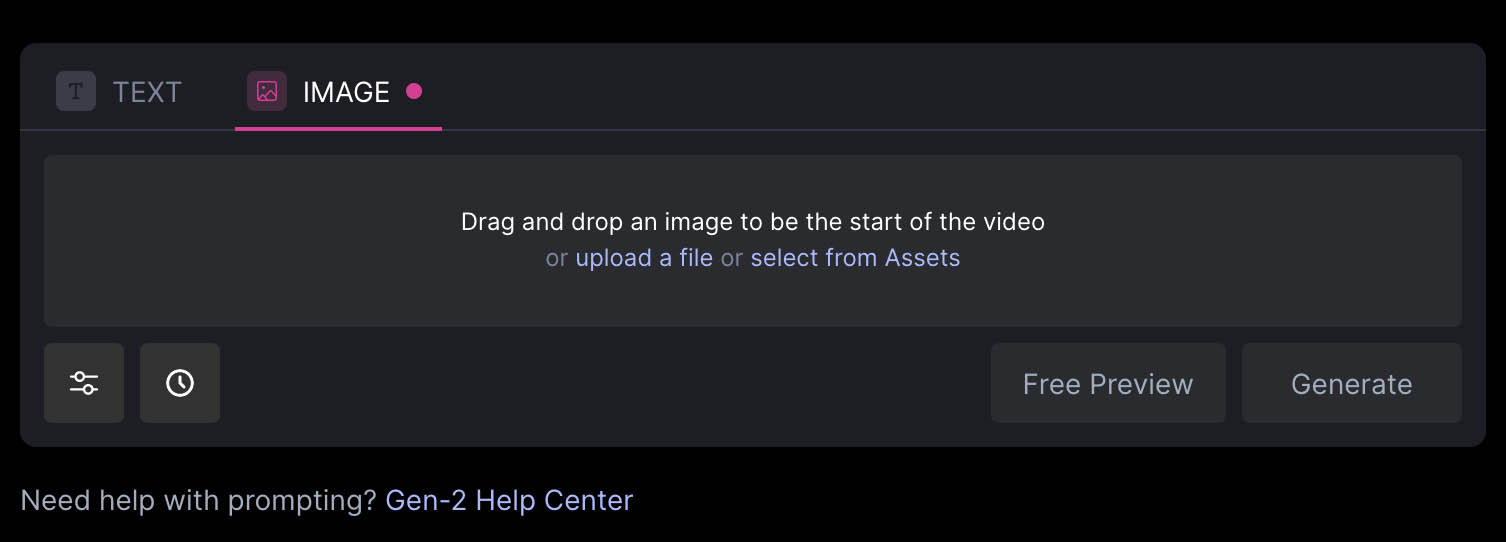
Here’s the most important thing to remember: at this stage of Gen-2 development, you can only provide an image. Adding text will actually spoil the effect we’re aiming for, which is to directly use the original image. You can choose the length of the video, with the default set at 4 seconds and a maximum of 16 seconds. Other than that, it’s like a black box – the AI will determine how your subject and the scene around it evolve. The results are single takes.
As you can see, there are some color shifts happening on the palm trees, but that’s all thanks to the software’s decision-making.
The cactus image, with its limited palette and subject, produces a subtler result. The original portrait format is preserved.
The key takeaway here is that Runway’s AI retains the essence of the original scene and brings it to life in a way that wouldn’t be possible without its magic. This feature is a potential game-changer for anyone who wishes they had a video version of their still images.
Now, let’s take a look at some “imagined” images of human figures.
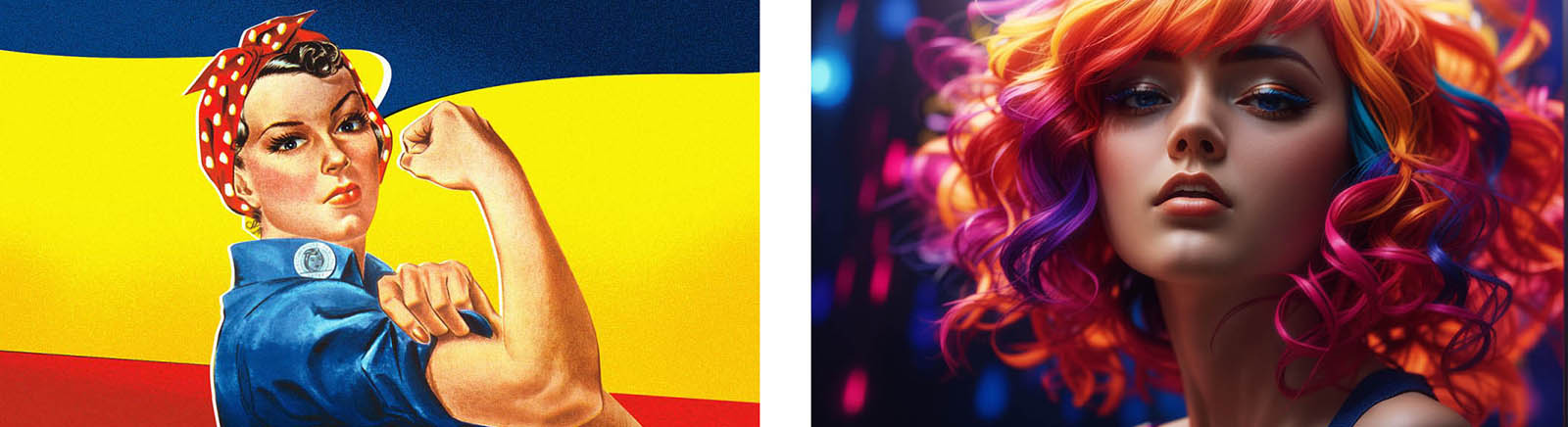
And here’s what Runway created:
This synthesized image produced with leonardo.ai creates a captivating moving image, even if the character of the face seems to shift slightly. Keep in mind that although the source image was generated with a text prompt, no text-to-video option (including Runway’s own Text to Video) would achieve this level of fidelity or continuity.
This example serves as a reminder that the toolset is not immune to classic mistakes of anatomy and context.
Next, let’s explore some of the most polished (iterated) examples that have been circulating since this feature debuted weeks ago.
Image to Video
If you’re interested in exploring the best I was able to find of what has been produced within the first few weeks of Image to Video being available, here is a collection of posts curated from x.com (formerly called “tweets”). As you study these, I encourage you to notice moments where continuity is maintained well (and when, for example, the expression on a face changes a little too much to maintain character).
🎬 Movie teaser (Midjourney & Runway)
I’d like to share with you a project I’ve been working on for some time now, and which is very close to my heart.
I hope you’ll enjoy watching it as much as I enjoyed creating it!
Thank you very much! 🐭
Images: Midjourney
Video:… pic.twitter.com/EReiKSuaTL— Anonymouse (@TheMouseCrypto) August 3, 2023
Sending @mreflow To Planet X ft. @elonmusk – Ai Trailer (Watch to the end lol)
Generated with @runwayml and @pika_labs #runway #PIKALABS #AIcommunity #GenerativeAI #aiart
Thank you to @ChristianF369 for assisting with a few tweaks. pic.twitter.com/Dax2bh9iSC— Loop'n'Mix (@JH4TC) August 3, 2023
Back into experimental mode, with the aim of generating more "natural" and high quality output from @RunwayML
I have a quick initial finding to share with the community:
I am experiencing significant increases in realism and natural movement in Gen-2 when using black and… pic.twitter.com/cGo80ozrcz
— Steve Mills (@SteveMills) August 7, 2023
If you saw AI-generated film clips as recently as a couple weeks ago, you probably noticed how weird they obviously were
Well, things changed. Now Runway animates from a single photograph. I did these each from a single still image, no effort. Still lots of flaws, but big leaps pic.twitter.com/hj0IVtExiR
— Ethan Mollick (@emollick) July 24, 2023
❤️Are you ready to get weird with AI Video + Music?
❤️The following is entirely AI-generated video from photos I created in Midjourney, using Runway’s latest img2video capabilities. Needless to say, the results are mind-blowing! I wonder what new styles will emerge from these… pic.twitter.com/4LbBZ8dONQ
— Kiri (@Kyrannio) July 22, 2023
Photo experiments with the new Image to Video mode of Gen-2. pic.twitter.com/ZYebBRQnxB
— Runway (@runwayml) July 25, 2023
So, if you’re reading all the way to the end and weren’t already aware of the breakthrough that Runway Gen-2 has presented with Image to Video, this is a great opportunity to evaluate for yourself. And if you’re reading later summer of 2023, my guess is that many of these limitations will have been addressed. How long will still images remain more effective than text as a starting point for AI-generated video? That remains to be seen. When will you use these tools to steal a shot you can’t find any other way? Well, that’s completely up to you—but the possibility is there.
,
Review: The H&Y REVORING Swift System Magnetic Filter System
,
Autom
Exciting Updates in Video Production
,
Review: Audio Design Desk
,
SanDisk SSD firmware updates
,
Is AI video about to creep out of the uncanny valley?
,
Avid Technology to Be Acquired by an Affiliate of STG for $1.4 Billion
,
Small is beautiful
,
After Effects Roundup July 2023 #2
,
AI Tools: Animations with Midjourney & After Effects
,
FaceCake: using AR and AI to change the VFX landscape
,
After Effects Roundup July 2023 #1

Other Articles

MIT Develops Glasses-Free 3D Movie Screen
17 Creative Methods for Concealing a Lavalier Microphone